Leaf360 Enterprise, for mortgage companies planning 20 or more seats.
Talk to sales opens Lia. Tell her your seat count, the workspaces you are evaluating and the systems you run today, and the team follows up. Fewer than 20 seats? The published plans and individual signup are open to you. See the plans or start with Mortgage CRM.
Three things an enterprise evaluation has to cover
Retention and recruiting, production oversight, and how the rollout itself is scoped.
Retention and recruiting
Producers join for a tech stack and stay when it works. A new loan officer gets a working pipeline and an assistant that drafts follow-up from the record; in the demo shown below, Lia drafted recommendations without sending messages or changing the record. The Recruiting workspace follows your own candidates from first contact through onboarding, with licensed states kept on each team member's record.
Production oversight
Pick a date range and review six dashboard numbers, the pipeline chart and forecast against goals, the team leaderboard and referral partner analytics. Every tile clicks through to the list it counted. The leaderboard and partner analytics are included on Enterprise seats.
Evaluation and onboarding
Bring your systems, data sources and seat count. We will scope migration, configuration and training together, because each depends on the systems, data and team involved.
Three operating examples
Each one is a view from the Leaf360 demo workspace, and each links to the page that explains the workflow in full.
Production review
Review six dashboard numbers, a pipeline chart and forecast against goals, a team leaderboard, and referral partner analytics for the date range you select.
Review production reporting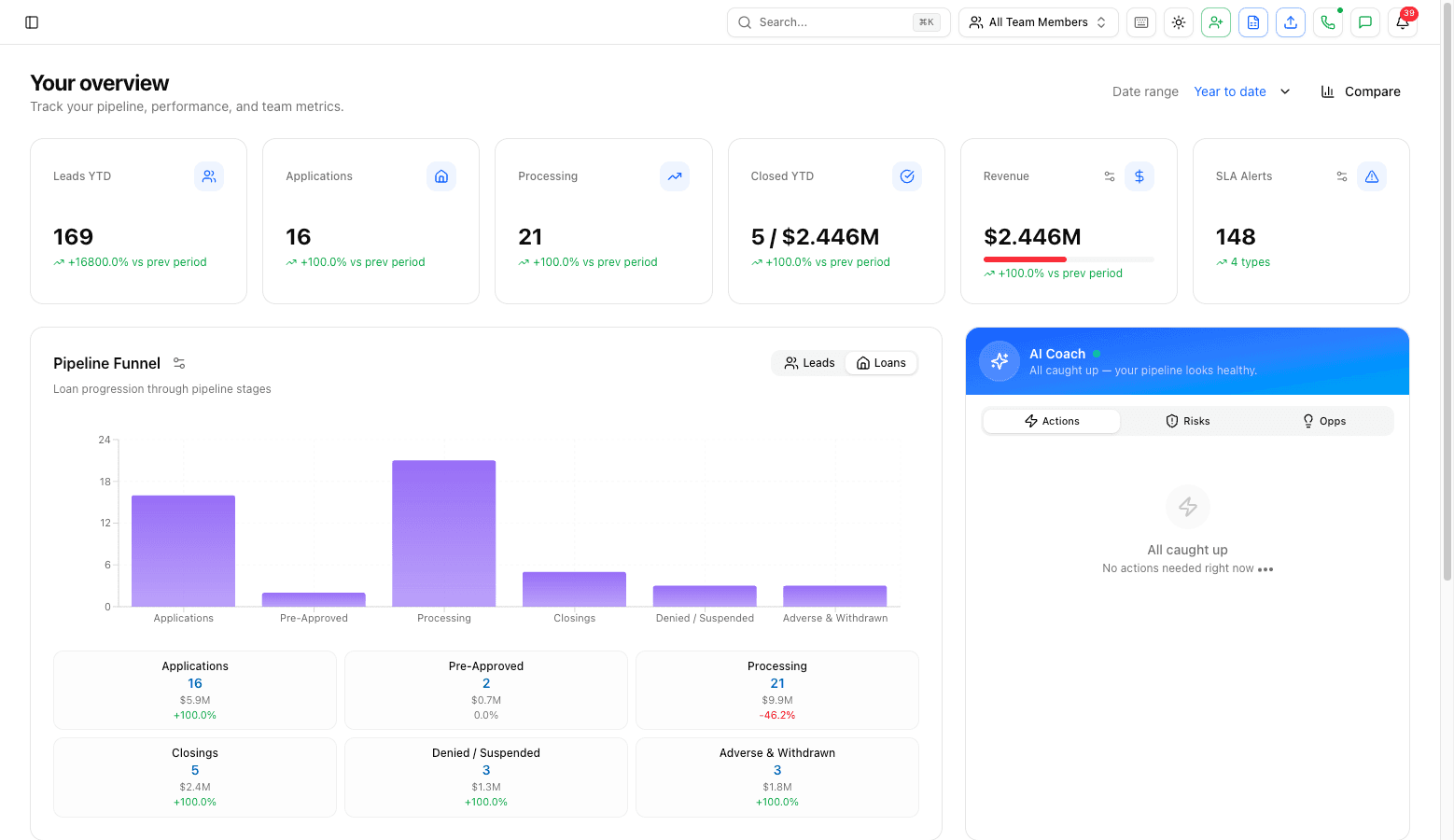
Recruiting follow-through
Work with candidate records across the Recruiting, Applicants, Onboarding and Rejected Applicants pipelines, then keep licensed-state information on team-member records.
See recruiting workflows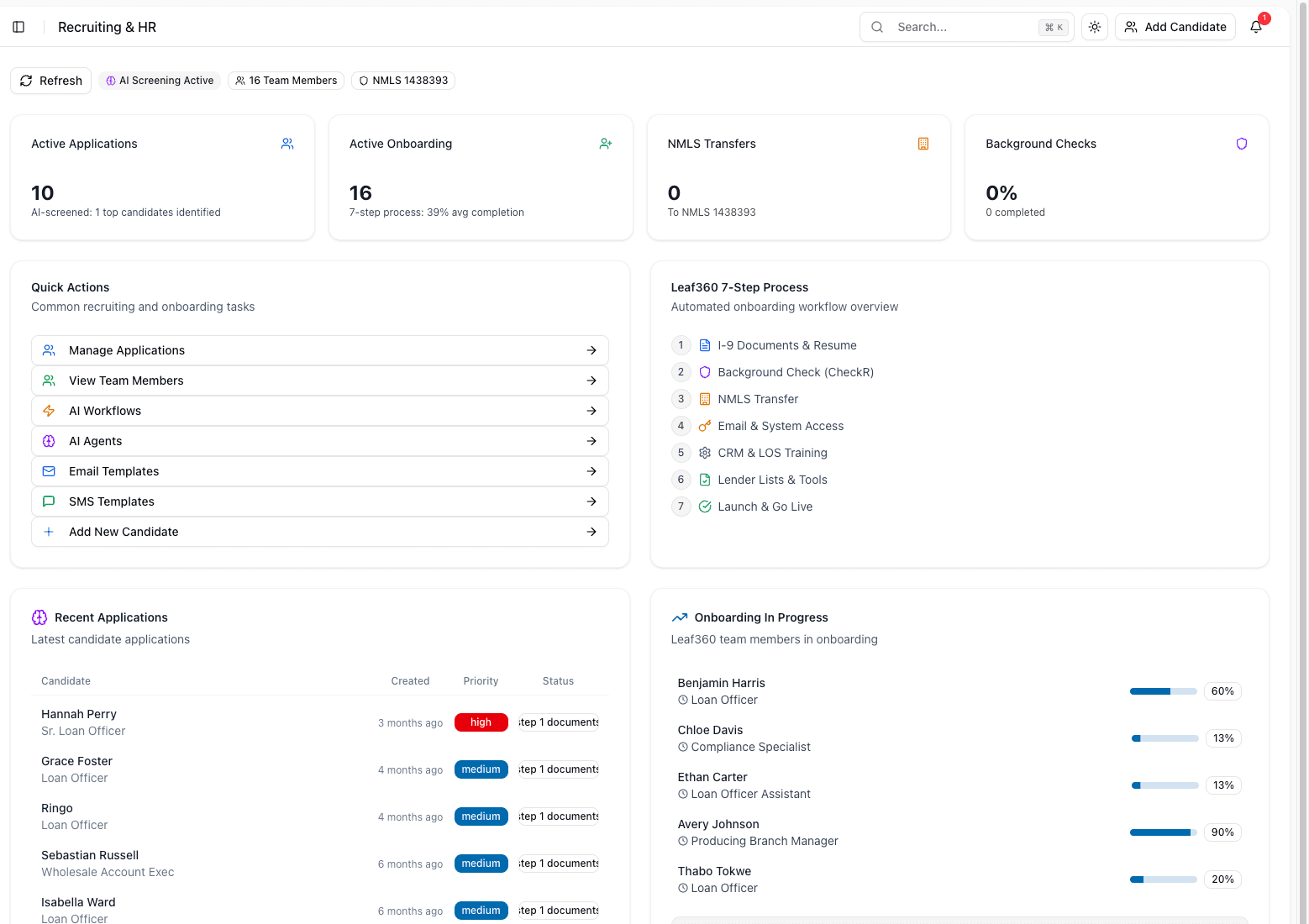
Wholesale applicant visibility
Review broker-application totals and stage distribution in the Wholesale Applicants Pipeline, the lender-side workspace with Leads and Applicants pipelines.
See Wholesale CRM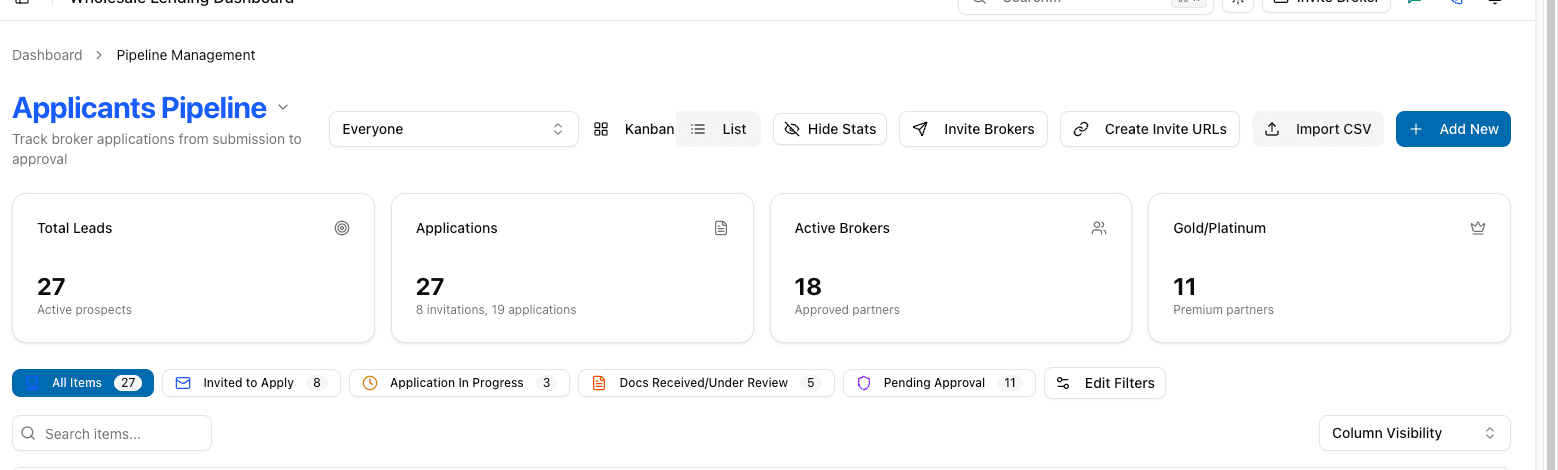
What Enterprise includes
The Enterprise plan on the pricing page, priced for your organization rather than per published seat.
- Custom seats & volume pricing
- Dedicated success manager
- Advanced security & admin
- Custom integrations
Plan a rollout around your team
Bring your systems, data sources and seat count. We will scope migration, configuration and training together. How long that takes depends on the systems, data and team involved, so the schedule comes after the scoping, not before.
Useful to have ready for the first conversation: your seat count, the workspaces you need, your loan origination system, the systems you intend to keep, and where your contact and loan data lives today.
What you can check today, and what we work through together
The left column is documented on this site now. The right column depends on your organization, so it is where the sales evaluation starts.
Documented today
- Three workspaces: Mortgage CRM for loan officers, Wholesale CRM for the lender side, and Recruiting for hiring, onboarding and licensing your own staff. Your company subscribes to the ones it needs.
- Team management and roles on Core and up: invite, edit and deactivate members, set roles and permissions, and see who holds which seat, company-paid or self-paid.
- Lead and loan routing to teams on Core and up, so unassigned leads, loans and contacts go to the right person automatically.
- Loan origination connections to Encompass, Arive and LendingPad on Core and up, and the Follow Up Boss two-way sync.
- Calling and texting compliance on Pro and up: calling hours with stricter state windows, Do Not Call scrubbing, text opt-in and opt-out handling and recording disclosure.
- The Leaf360 MCP server on every plan for a limited time, so Lia works from Claude, ChatGPT or another MCP client with the permissions of the person who signs in.
Bring to the evaluation
- Security and procurement: which application controls and data-handling materials your review needs, and what your questionnaire asks.
- Identity requirements such as single sign-on or enforced multi-factor authentication for your organization.
- Migration scope: which systems your data comes from, what moves, what stays, and in what order.
- Custom integrations beyond the published list, and what each one needs from your side.
- Reporting structure across branches or companies, and who should see which numbers.
- Support expectations, escalation paths and what dedicated success management covers for your team.
Security and procurement
Security review starts with your requirements. Share your identity, access and data-handling questions with sales so your team can review the current controls and available materials.
Read the workflows in full
See the loan-officer workflow
What your producers see day to day: an assistant that drafts from the record and waits for a click.
Review production reporting
The dashboard, the forecast against goals, the team leaderboard and partner analytics.
See recruiting workflows
Hiring, onboarding and licensing your own loan officers and staff.
See Wholesale CRM
The lender-side workspace for broker applications, approvals and compliance docs.
Connect an MCP client
Use Lia from Claude, ChatGPT or another MCP client with your own login's permissions.
Published plans
Free, Core, Pro and Enterprise, with the full feature comparison.
Questions about Enterprise
A mortgage company planning 20 or more seats. Companies with fewer seats use the published Free, Core and Pro plans and the individual signup, and can still talk to sales if they expect to grow past 20.
Plan the rollout around your team.
Twenty or more seats, three workspaces, your systems. Start the conversation with what you already know.